C01
C01


Bateria domowa do zasilania awaryjnego: Kompletny przewodnik po zasilaniu awaryjnym dla Twojego domu
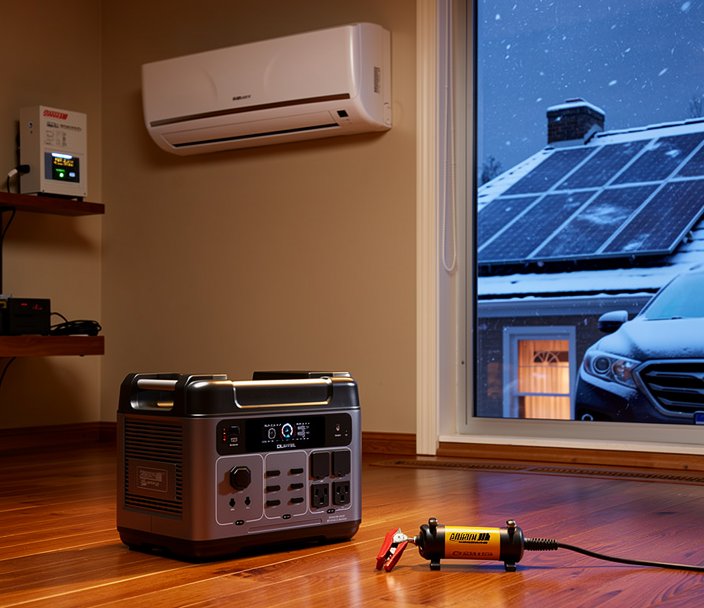
Blackouty stają się coraz częstsze i dłuższe z powodu starzejącej się infrastruktury, ekstremalnych zjawisk pogodowych i rosnącego zapotrzebowania na energię. Zarówno dla właścicieli domów, jak i najemców, bateria domowa do zasilania awaryjnego oferuje niezawodne, ciche i coraz bardziej przystępne cenowo rozwiązanie, które utrzyma działanie kluczowych urządzeń, gdy sieć zawiedzie. Ten obszerny przewodnik wyjaśnia wszystko, co musisz wiedzieć o systemach baterii domowej do zasilania awaryjnego — od tego, jak działają, po ich koszty i jak wybrać odpowiednie rozwiązanie dla swojego domu.

Czym jest system baterii domowej do zasilania awaryjnego?
System baterii domowej do zasilania awaryjnego to rozwiązanie do magazynowania energii, które pobiera prąd z sieci lub paneli słonecznych i przechowuje go w akumulatorze. Gdy główne zasilanie zawiedzie, system automatycznie odłącza się od sieci i dostarcza zasilanie awaryjne dla Twojego domu przez dedykowany obwód lub, w niektórych przypadkach, cały dom. W przeciwieństwie do przenośnych stacji zasilania, systemy te są zwykle instalowane na stałe i zintegrowane z domową rozdzielnią elektryczną.
Podstawowa funkcja jest prosta: ładuj, gdy jest prąd, rozładowuj, gdy go nie ma. Jednak technologia stojąca za tym — w tym inwertery, chemia baterii i inteligentne systemy zarządzania — znacznie ewoluowała w ostatnich latach, czyniąc domowe zasilanie awaryjne bardziej dostępnym niż kiedykolwiek.
Jak działa bateria domowa do zasilania awaryjnego: Kluczowe komponenty (inwerter, pakiet baterii, przełącznik transferowy)
Każdy system baterii domowej do zasilania awaryjnego składa się z trzech kluczowych komponentów, które współpracują, aby dostarczać energię podczas blackoutu.
Pakiet baterii. To magazyn energii. Większość nowoczesnych systemów wykorzystuje ogniwa litowo-żelazowo-fosforanowe (LiFePO₄), które oferują długą żywotność (ponad 3500 cykli) i zwiększone bezpieczeństwo. Pojemność mierzona jest w kilowatogodzinach (kWh) i określa, jak długo Twój dom może działać wyłącznie na baterii.
Inwerter. Ten komponent przekształca prąd stały (DC) zgromadzony w baterii na prąd przemienny (AC) używany przez urządzenia domowe. Inwerter z czystą falą sinusoidalną zapewnia czyste, stabilne zasilanie dla wrażliwej elektroniki. Wiele nowszych systemów używa inwerterów dwukierunkowych, które mogą również przekształcać prąd przemienny z sieci lub generatora z powrotem na prąd stały do ładowania.
Przełącznik transferowy. Nazywany również automatycznym odłącznikiem, to urządzenie bezpieczeństwa izoluje Twój dom od sieci energetycznej podczas blackoutu. Zapobiega to zasilaniu zwrotnemu (niebezpiecznemu prądowi płynącemu do linii sieciowych) i zapewnia, że bateria zasila tylko Twoje obwody. Czas przełączenia jest kluczowy — typowy domowy bank baterii przełącza się w mniej niż 20 milisekund, wystarczająco szybko, aby komputery i urządzenia medyczne działały bez przerwy.
Niektóre systemy, takie jak przenośna stacja zasilania OUKITEL P2001 Plus, integrują wszystkie trzy funkcje — baterię, inwerter i przełącznik transferowy — w jednym urządzeniu. P2001 Plus oferuje baterię LiFePO₄ o pojemności 2048Wh, inwerter z czystą falą sinusoidalną o mocy 2400W oraz EPS z przełączaniem poniżej 10 ms, co czyni go wszechstronnym zasilaniem awaryjnym dla domu.
Rodzaje systemów baterii domowej do zasilania awaryjnego (AC-coupled vs DC-coupled)
Przy integracji z panelami słonecznymi, systemy magazynowania energii domowej są zwykle klasyfikowane jako AC-coupled lub DC-coupled.
Systemy AC-coupled. Panele słoneczne łączą się z istniejącym inwerterem, który wytwarza prąd przemienny. Osobny inwerter baterii przekształca ten prąd z powrotem na prąd stały do magazynowania. To podejście jest łatwiejsze do modernizacji istniejącej instalacji solarnej i działa z większością standardowych inwerterów solarnych. Jednak każdy etap konwersji wprowadza około 3–5% strat energii.
Systemy DC-coupled. Zarówno panele słoneczne, jak i bateria łączą się z jednym hybrydowym inwerterem, który zarządza prądem stałym bezpośrednio. Zmniejsza to straty konwersji (wyższa wydajność) i może być bardziej opłacalne w przypadku nowych instalacji. Wadą jest to, że cały system opiera się na jednym inwerterze — jeśli ulegnie awarii, zarówno panele słoneczne, jak i bateria przestają działać.
Dla właścicieli domów zainteresowanych Solar Home Battery Backup: Complete Guide to Solar + Storage Systems, zrozumienie metody sprzężenia pomaga w planowaniu wydajnej konfiguracji.
Bateria domowa do zasilania awaryjnego dla całego domu czy częściowa: Którą wybrać?
Jedną z pierwszych decyzji, przed którymi staniesz, jest to, czy potrzebujesz baterii domowej do zasilania awaryjnego dla całego domu, czy systemu częściowego, który zasila tylko kluczowe obwody.
Zasilanie awaryjne dla całego domu. Ten system podłącza się do głównej rozdzielni i może zasilać wszystkie obwody, w tym duże urządzenia, takie jak klimatyzacja centralna, elektryczne podgrzewacze wody i ładowarki do samochodów elektrycznych. Wymaga to stosunkowo dużej pojemności baterii (15–30 kWh lub więcej) i inwertera o dużej mocy (8–15 kW). Zaletą jest bezproblemowe pokrycie całego domu, ale koszt jest znacznie wyższy.
Zasilanie częściowe / panel obwodów krytycznych. Instalowany jest dedykowany podpanel dla kluczowych obwodów — oświetlenie, lodówka, pompa drenażowa, router internetowy i kilka gniazdek. Bateria zasila tylko te obwody, co pozwala na mniejszy, bardziej przystępny cenowo system (3–10 kWh, inwerter 2–5 kW). To najczęstsza konfiguracja dla domowego zasilania awaryjnego i często wystarczająca dla komfortu i bezpieczeństwa podczas większości blackoutów.
Aby określić odpowiednią pojemność dla swoich potrzeb, zapoznaj się z Jak dobrać rozmiar systemu baterii domowej do zasilania awaryjnego: Kompletny przewodnik, który zawiera metodę obliczania krok po kroku.
Kluczowe korzyści z instalacji baterii domowej do zasilania awaryjnego
Zalety posiadania systemu baterii domowej do zasilania awaryjnego wykraczają poza zwykłe przygotowanie na wypadek awarii.
- Niezależność energetyczna. Zmniejsz zależność od sieci i chroń się przed wahaniami cen prądu.
- Cicha i czysta praca. W przeciwieństwie do generatorów, systemy baterii nie emitują spalin, nie hałasują i nie wymagają przechowywania paliwa.
- Oszczędności dzięki taryfom czasowym. Wiele zakładów energetycznych pobiera wyższe stawki w godzinach szczytu. Bateria może ładować się, gdy prąd jest tani, i rozładowywać w okresach drogich, obniżając rachunek.
- Autokonsumpcja energii słonecznej. Jeśli masz panele słoneczne, bateria przechowuje nadmiar energii dziennej na wieczór, maksymalizując zwrot z inwestycji w fotowoltaikę.
- Zasilanie awaryjne. Utrzymuj działanie urządzeń medycznych, lodówek, oświetlenia i sprzętu komunikacyjnego podczas blackoutów. Nowoczesne systemy z przełączaniem poniżej 10 ms chronią wrażliwą elektronikę przed spadkami napięcia i przepięciami.
- Wzrost wartości nieruchomości. Domy z systemami zasilania awaryjnego są coraz bardziej atrakcyjne dla kupujących, zwłaszcza w regionach narażonych na burze lub niestabilność sieci.
Szczegółową listę urządzeń, które może zasilać typowa bateria domowa do zasilania awaryjnego, znajdziesz w Co może zasilać bateria domowa do zasilania awaryjnego? Przewodnik po urządzeniach i elektronice.
Koszty baterii domowej do zasilania awaryjnego: Czego się spodziewać
Koszt systemu baterii domowej do zasilania awaryjnego znacznie się różni w zależności od pojemności, funkcji i złożoności instalacji. Od 2026 roku ceny stały się bardziej konkurencyjne dzięki postępowi w chemii baterii LiFePO₄ i zwiększonej skali produkcji.
Za system częściowy (3–5 kWh) należy spodziewać się wydatku od 2000 do 5000 dolarów za sam sprzęt, plus 500–2000 dolarów za profesjonalną instalację. Systemy dla całego domu (10–20 kWh) zwykle kosztują od 8000 do 20 000 dolarów lub więcej, w tym instalacja.
Ukryte koszty mogą obejmować modernizację rozdzielni, pozwolenia i okablowanie. Jednak federalne i stanowe zachęty — takie jak amerykańska ulga podatkowa na inwestycje (ITC) dla magazynów energii współpracujących z fotowoltaiką — mogą obniżyć całkowity koszt o 30%. Zawsze sprawdzaj lokalne rabaty od zakładów energetycznych, ponieważ niektóre programy oferują dodatkowe oszczędności za instalację domowego zasilania awaryjnego.
Porównując opcje, rozważ całkowity koszt posiadania przez 10 lat. Wysokiej jakości bateria LiFePO₄ (taka jak ogniwa OUKITEL o żywotności ponad 3500 cykli) może działać przez dekadę lub dłużej przy minimalnej degradacji, podczas gdy tańsze baterie kwasowo-ołowiowe mogą wymagać wymiany co 3–5 lat. Dowiedz się więcej o technologii baterii w Bateria litowa vs kwasowo-ołowiowa do domu: Która technologia jest najlepsza?
Kwestie instalacyjne: Wymagania dotyczące umiejscowienia wewnątrz i na zewnątrz oraz rozdzielni elektrycznej
Prawidłowa instalacja jest kluczowa dla bezpieczeństwa i wydajności. Oto kluczowe czynniki, które należy omówić z wykwalifikowanym elektrykiem lub instalatorem.
Umiejscowienie wewnątrz vs na zewnątrz. Wiele domowych banków baterii jest zaprojektowanych do instalacji wewnątrz — w garażach, piwnicach lub pomieszczeniach gospodarczych. Muszą być przechowywane w kontrolowanej temperaturze (zwykle od 0°C do 40°C) i z dala od materiałów łatwopalnych. Urządzenia przystosowane do użytku na zewnątrz, takie jak OUKITEL P2001 Plus z odpornością na kurz i zachlapania IP54, można umieszczać na tarasach lub w szopach, ale bezpośrednie słońce i ekstremalne zimno mogą obniżyć wydajność.
Wymagania dotyczące rozdzielni elektrycznej. System musi być podłączony do podpanelu lub zintegrowany z główną rozdzielnią za pomocą przełącznika transferowego. W wielu przypadkach panel serwisowy 200A jest wystarczający, ale starsze domy z panelami 100A mogą wymagać modernizacji, aby pomieścić prąd szczytowy baterii. Przełącznik transferowy musi być zgodny z normą UL 1741 lub równoważną, aby zapewnić bezpieczeństwo sieci.
Pozwolenia i przepisy. Większość jurysdykcji wymaga pozwolenia elektrycznego na stałą instalację baterii. Instalator powinien uzyskać pozwolenia i zorganizować inspekcję. Zgodność z lokalnymi przepisami budowlanymi i artykułem 706 Krajowego Kodeksu Elektrycznego (NEC) — który obejmuje systemy magazynowania energii — jest obowiązkowa.
Jeśli rozważasz przenośną stację zasilania jako prostszą alternatywę, która nie wymaga stałej instalacji (wystarczy podłączyć do gniazdka), zapoznaj się z Bateria domowa do zasilania awaryjnego bez fotowoltaiki: Czy to się opłaca?
Wskazówki dotyczące konserwacji baterii domowej do zasilania awaryjnego
Nowoczesne systemy magazynowania energii domowej wymagają bardzo niewielkiej konserwacji, ale przestrzeganie kilku dobrych praktyk może wydłużyć ich żywotność.
- Zapewnij chłód. Baterie degradują szybciej w wysokich temperaturach. Instaluj w zacienionym, dobrze wentylowanym miejscu. Jeśli używasz przenośnego urządzenia, takiego jak P2001 Plus z wbudowanymi wentylatorami, upewnij się, że przepływ powietrza nie jest zablokowany.
- Unikaj głębokiego rozładowania. Większość systemów można rozładować do 0% bez uszkodzeń, ale regularne rozładowywanie do prawie zera może skrócić żywotność cykli. Staraj się utrzymywać stan naładowania między 20% a 80% przy codziennym użytkowaniu.
- Aktualizuj oprogramowanie. Wiele systemów baterii oferuje teraz monitorowanie przez aplikację i aktualizacje oprogramowania, które optymalizują algorytmy ładowania i balansowanie ogniw. Utrzymuj oprogramowanie aktualne.
- Czyść zaciski. W przypadku urządzeń zewnętrznych od czasu do czasu sprawdzaj zaciski pod kątem korozji i czyść suchą szmatką. P2001 Plus ma stopień ochrony IP54, który odporny jest na kurz i zachlapania, zmniejszając potrzeby konserwacyjne.
- Monitoruj przez aplikację. Korzystaj z aplikacji producenta, aby śledzić stan systemu, cykle rozładowania i temperaturę. Wczesne wykrycie anomalii może zapobiec awarii.
Przy odpowiedniej pielęgnacji bateria domowa do zasilania awaryjnego oparta na LiFePO₄ może zapewnić niezawodne działanie przez ponad dekadę — często dłużej niż inwerter lub inne komponenty.
Bateria domowa do zasilania awaryjnego vs inne opcje zasilania awaryjnego
Oceniając domowe rozwiązania zasilania awaryjnego, dwie najczęstsze alternatywy to przenośne generatory i generatory rezerwowe. Każda ma swoje kompromisy.
Przenośne generatory benzynowe/propanowe. Są niedrogie na starcie (500–2000 dolarów) i mogą zasilać duże obciążenia. Jednak emitują toksyczne spaliny (muszą być używane na zewnątrz), są hałaśliwe (60–80 dB), wymagają przechowywania paliwa i tankowania podczas blackoutów oraz regularnej konserwacji. Paliwo może stać się trudno dostępne podczas powszechnych blackoutów.
Generatory rezerwowe. Instalowane na stałe z automatycznym przełącznikiem, działają na gaz ziemny lub propan. Uruchamiają się automatycznie podczas blackoutu i mogą zasilać cały dom. Koszty wahają się od 5000 do 15 000 dolarów z instalacją. Wady to hałas (55–70 dB), zużycie paliwa (nawet przy minimalnym obciążeniu) i coroczna konserwacja. Wymagają również linii paliwowej i odpowiedniej wentylacji.
Bateria domowa do zasilania awaryjnego. Cicha praca (<50 dB dla wielu modeli), brak spalin, brak paliwa, nieograniczone umiejscowienie wewnątrz (jeśli jest do tego przeznaczona) i przełączanie w ułamku sekundy. Główną wadą jest wyższy koszt początkowy dla zasilania całego domu i ograniczona pojemność energetyczna w porównaniu z generatorem, który może działać w nieskończoność, mając paliwo. Jednak koszty baterii stale spadają, a połączenie z panelami słonecznymi może wydłużyć czas działania w nieskończoność.
Szczegółowe porównanie znajdziesz w Bateria domowa do zasilania awaryjnego vs generator: Która opcja zasilania awaryjnego jest dla Ciebie odpowiednia?. Właściwy wybór zależy od budżetu, częstotliwości blackoutów, tolerancji na hałas i chęci korzystania z czystej energii.
Jak wybrać odpowiednią baterię domową do zasilania awaryjnego
Wybór najlepszego systemu baterii domowej do zasilania awaryjnego wymaga dopasowania priorytetów — pojemności, mocy wyjściowej, typu instalacji i budżetu — do odpowiedniego produktu. Oto ramy decyzyjne:
- Oblicz swoje kluczowe obciążenia. Wypisz urządzenia, które muszą działać podczas blackoutu, oszacuj ich moc i czas pracy, a następnie zsumuj dzienne zapotrzebowanie na energię. Skorzystaj z kalkulatora doboru lub odnieś się do naszego przewodnika doboru.
- Określ pożądany czas działania. Krótki blackout (kilka godzin) może wymagać tylko 1–3 kWh. Dłuższe przerwy (12+ godzin) mogą wymagać 5–20 kWh. Jeśli masz panele słoneczne, możesz wybrać mniejszą pojemność i polegać na ładowaniu w ciągu dnia.
- Zdecyduj: cały dom czy częściowo. Jeśli nie możesz sobie pozwolić na zasilanie całego domu, zacznij od panelu obwodów krytycznych i rozbuduj później, jeśli zajdzie taka potrzeba.
- Wybierz między przenośnym a zainstalowanym. Przenośne urządzenia, takie jak OUKITEL P2001 Plus (2400W, 2048Wh), są łatwe do przenoszenia, nie wymagają elektryka i oferują EPS z przełączaniem poniżej 10 ms dla wrażliwych urządzeń. Systemy zainstalowane są bezproblemowe, ale wymagają profesjonalnej instalacji.
- Rozważ przyszłą rozbudowę. Niektóre systemy pozwalają na łączenie wielu jednostek baterii. Potwierdź możliwość rozbudowy przed zakupem.
- Sprawdź zachęty. Poszukaj programów federalnych, stanowych i lokalnych — mogą znacznie obniżyć koszt netto.
OUKITEL oferuje gamę przenośnych stacji zasilania, które służą jako bateria domowa do zasilania awaryjnego dla wielu właścicieli domów. P2001 Plus, z pojemnością 2048Wh i inwerterem 2400W, może zasilać lodówkę (50W) przez 41 godzin, kuchenkę mikrofalową (1000W) przez około 2 godziny lub wiele mniejszych urządzeń jednocześnie. Jego szybkie ładowanie AC o mocy 1800W ładuje do 80% w zaledwie 1 godzinę, a bateria LiFePO₄ jest przystosowana do ponad 3500 cykli — co odpowiada około 10 latom codziennego użytkowania. Dla średnich potrzeb zapoznaj się z P2001 Pro lub P5000 Pro, w zależności od zapotrzebowania na moc.
Niezależnie od wybranego systemu, inwestycja w baterię domową do zasilania awaryjnego to krok w stronę odporności energetycznej, niższych rachunków (dzięki fotowoltaice lub zarządzaniu taryfami) i spokoju ducha.
Często zadawane pytania dotyczące baterii domowej do zasilania awaryjnego
Czym jest system baterii domowej do zasilania awaryjnego i jak działa?
System baterii domowej do zasilania awaryjnego magazynuje energię elektryczną w akumulatorze i automatycznie dostarcza ją do domu, gdy sieć zawiedzie. Składa się z trzech głównych komponentów: pakietu baterii do magazynowania energii, inwertera do przekształcania prądu stałego na przemienny do użytku domowego oraz przełącznika transferowego do bezpiecznego odłączenia od sieci podczas blackoutu.
Jak długo bateria domowa do zasilania awaryjnego może zasilać mój dom?
Czas działania zależy od pojemności baterii i obciążenia. Typowy system 10 kWh zasilający kluczowe urządzenia (lodówka, oświetlenie, internet) może działać od 12 do 24 godzin. Zasilanie całego domu z dużymi urządzeniami może rozładować tę samą baterię w 3–4 godziny. Dobór pojemności jest kluczowy — użyj kalkulatora zasilania awaryjnego dla swoich konkretnych potrzeb.
Ile kosztuje system baterii domowej do zasilania awaryjnego?
Systemy częściowe (3–5 kWh) zwykle kosztują 2000–5000 dolarów za sprzęt plus instalacja. Systemy dla całego domu (10–20 kWh) kosztują od 8000 do 20 000 dolarów lub więcej. Federalne i stanowe zachęty mogą obniżyć koszt netto o 30% lub więcej. Przenośne urządzenia, takie jak OUKITEL P2001 Plus, oferują niższy próg wejścia bez kosztów instalacji.
Czy mogę samodzielnie zainstalować baterię domową do zasilania awaryjnego?
W przypadku systemów na stałe podłączonych do instalacji elektrycznej zdecydowanie zaleca się profesjonalną instalację, a często jest ona wymagana przepisami ze względu na bezpieczeństwo elektryczne i zasady przyłączenia do sieci. Jednak przenośne stacje zasilania, takie jak OUKITEL P2001 Plus, nie wymagają instalacji — wystarczy podłączyć do gniazdka, aby naładować, i używać portów wyjściowych podczas blackoutu.
Jaka jest różnica między systemami baterii AC-coupled i DC-coupled?
W systemach AC-coupled inwerter solarny wytwarza prąd przemienny, który jest następnie przekształcany z powrotem na prąd stały do magazynowania — proces dwuetapowy. Systemy DC-coupled łączą panele słoneczne bezpośrednio z hybrydowym inwerterem, który zarządza zarówno fotowoltaiką, jak i baterią w jednym kroku, zmniejszając straty konwersji. DC-coupled jest zwykle bardziej wydajny w nowych instalacjach, podczas gdy AC-coupled jest łatwiejszy do modernizacji istniejącej fotowoltaiki.
Jak konserwować system baterii domowej do zasilania awaryjnego?
Konserwacja jest minimalna. Utrzymuj baterię w umiarkowanym zakresie temperatur (0–40°C), unikaj regularnych głębokich rozładowań i zapewnij wentylację. Aktualizuj oprogramowanie w inteligentnych systemach. W przypadku urządzeń zewnętrznych od czasu do czasu czyść zaciski. Baterie LiFePO₄ zwykle działają 10+ lat przy niewielkiej degradacji, jeśli są odpowiednio pielęgnowane.
Czy bateria domowa do zasilania awaryjnego działa podczas blackoutu?
Tak, to jej główne zadanie. Gdy sieć zawiedzie, przełącznik transferowy automatycznie odłącza dom od sieci i pozwala baterii dostarczać energię. W systemach takich jak OUKITEL P2001 Plus dzieje się to w milisekundy (poniżej 10 ms), zapewniając brak przerw w zasilaniu wrażliwej elektroniki.
Latest articles
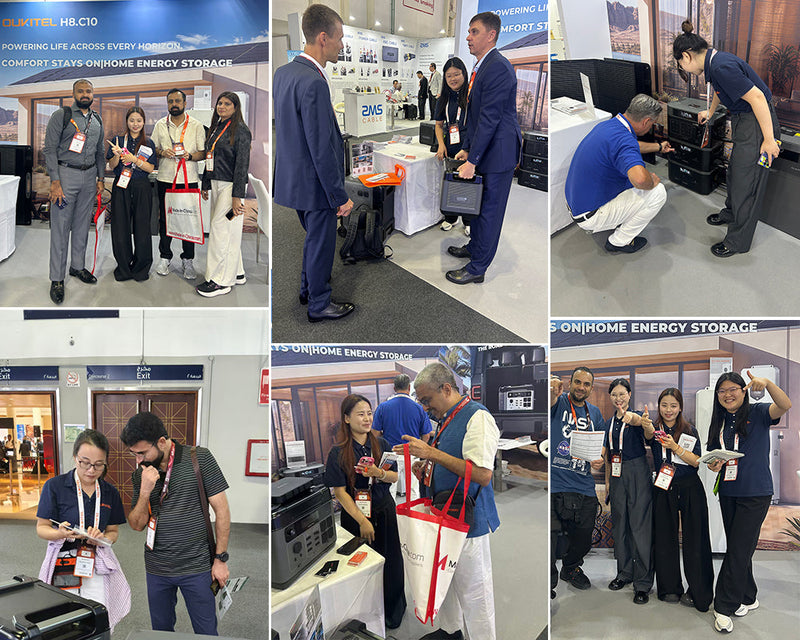
OUKITEL Power Brings Full-Scenario Energy Storage Solutions to Intersolar Middle East 2026 in Dubai
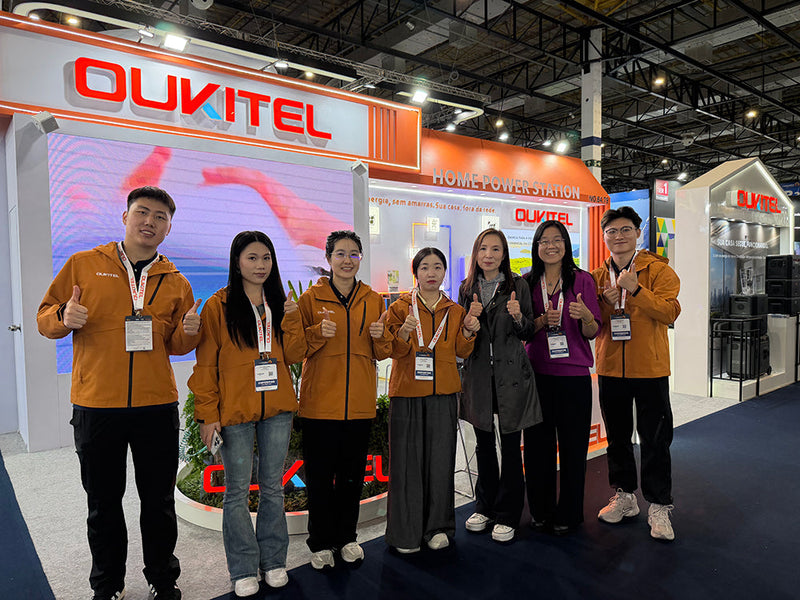
OUKITEL prezentuje rozwiązania do magazynowania energii na targach Intersolar South America 2026, przyspieszając ekspansję w Ameryce Łacińskiej
Europejski przewodnik właściciela domu: jak obniżyć rachunki za pompę ciepła dzięki magazynowaniu energii i inteligentnym taryfom
Dobór mocy paneli słonecznych i baterii do zimowej pompy ciepła: poradnik dla zimnego klimatu w Europie (Niemcy, Szwecja, Ukraina)
Poradnik przetrwania blackoutu z pompą ciepła: jak wydłużyć działanie baterii podczas wielodniowych zimowych przerw w dostawie prądu