C01


Battery Charger Buying Guide: How to Match Chargers to Your Batteries and Devices
A battery charger is not one product. It is at least three: a bay charger for removable cells, a USB power adapter that negotiates with a device's charging circuit, and a portable power source that stores energy so you can charge later. Advice that treats those as interchangeable is the reason people end up with a 100 W charger that fills a laptop at a crawl, or a power bank that refuses to hold a console dock steady.
There is a terminology habit worth correcting first. Search for a "Nintendo Switch portable power bank" or a "10000mAh battery charger" and what you are really choosing is a USB-C Power Delivery source — the charging circuitry sits inside the console, and the external box only supplies voltage and current within negotiated limits. Once the requirement moves past phones, tablets and laptops to anything with a mains plug, the correct category is a portable power station rather than a power bank: the same idea at a different scale, with different safety and installation rules.
What follows is a matching guide, not a shopping list. It covers how to read a charger's label, where the real compatibility traps sit, and how to decide between a bay charger, a wall adapter, a power bank and a power station for the devices you actually own.

Why a Mismatched Charger Can Damage Your Devices (And How to Avoid It)
Three mismatches matter, and only one of them is usually fatal.
Voltage mismatch is the destructive one. A device expects a defined input window. Feed a 19 V laptop input from a source that tops out at 15 V and nothing breaks — the link falls back and charges slowly. Feed 20 V into something designed for 12 V, or wire a removable cell into a bay set for a higher cell count, and you are relying on protection circuitry that may simply not be there.
Chemistry mismatch is the destructive one in the bay-charger world. Nickel-metal hydride (NiMH) and lithium-ion cells terminate differently. A NiMH cell's nominal voltage is 1.2 V, below the 1.5 V of an alkaline, which is why devices that estimate charge from voltage misbehave — and why a charger built around older nickel-cadmium cells can keep pushing current into a NiMH cell long after it is full. The result is heat, leakage and shortened life, not an immediate bang.
Protocol mismatch is the silent one. A USB-C charger that does not offer the fixed Power Delivery profile your device wants will still charge it, usually at 5 V. Nothing breaks; you conclude the charger is slow and buy another one.
Decision rule: match voltage and chemistry first, current second, protocol third, and brand last. Most returns happen because buyers did that in reverse.
Failure patterns worth recognising
- Buying on the wattage headline. A "100 W" USB-C charger whose highest fixed profile is 15 V cannot deliver 20 V, so a 20 V laptop negotiates downward. You have paid for headroom the device cannot use.
- Using an old timer charger for NiMH cells. Timer chargers stop on a clock, not on the cell, so a partly discharged cell gets the same dose as an empty one.
- Charging inside a sealed pouch or case. Chargers shed heat through their shell; closing it in removes the only exit path.
- Assuming a dock behaves like a phone. Docks and TV modes draw differently from handheld play. A source that charges a console in your hands may not hold it up on a television.
- Trusting the box, not the device label. Retail listings are edited far more often than product labels are.
Reading Charger Specs: Voltage, Current, and Charging Protocols Explained
Every charger label answers the same three questions: what voltage it can present, how much current it can supply, and which protocol it uses to agree on both. Power in watts is simply voltage multiplied by current, so a 20 V, 5 A link is 100 W — and the same wattage can be reached by different voltage/current pairs.
For USB-C the framework is USB Power Delivery. USB-IF lists USB Power Delivery Specification Revision 3.3 as the current document. Fixed profiles centre on 5 V, 9 V, 15 V and 20 V, and the 3.1/3.3 family adds 28 V, 36 V and 48 V for higher-power devices, with 240 W supported. PPS — Programmable Power Supply — is part of the specification and uses programmable voltage and current limits instead of fixed steps, which matters for phones that expect fine-grained adjustment.
On the shelf, that means a charger's wattage figure is a ceiling, not a promise. It is reached only at the top profile that both the charger and the device support, through a cable that can carry the current.
Cables are part of the specification, not an accessory
Above 60 W at 20 V the cable has to be electronically marked and rated for 5 A. A 3 A cable caps the whole link at 60 W regardless of what the charger's box claims. This is the most common reason a "100 W" setup underperforms, and the fix is a labelled cable rather than a new charger.
mAh is not a fair comparison between products
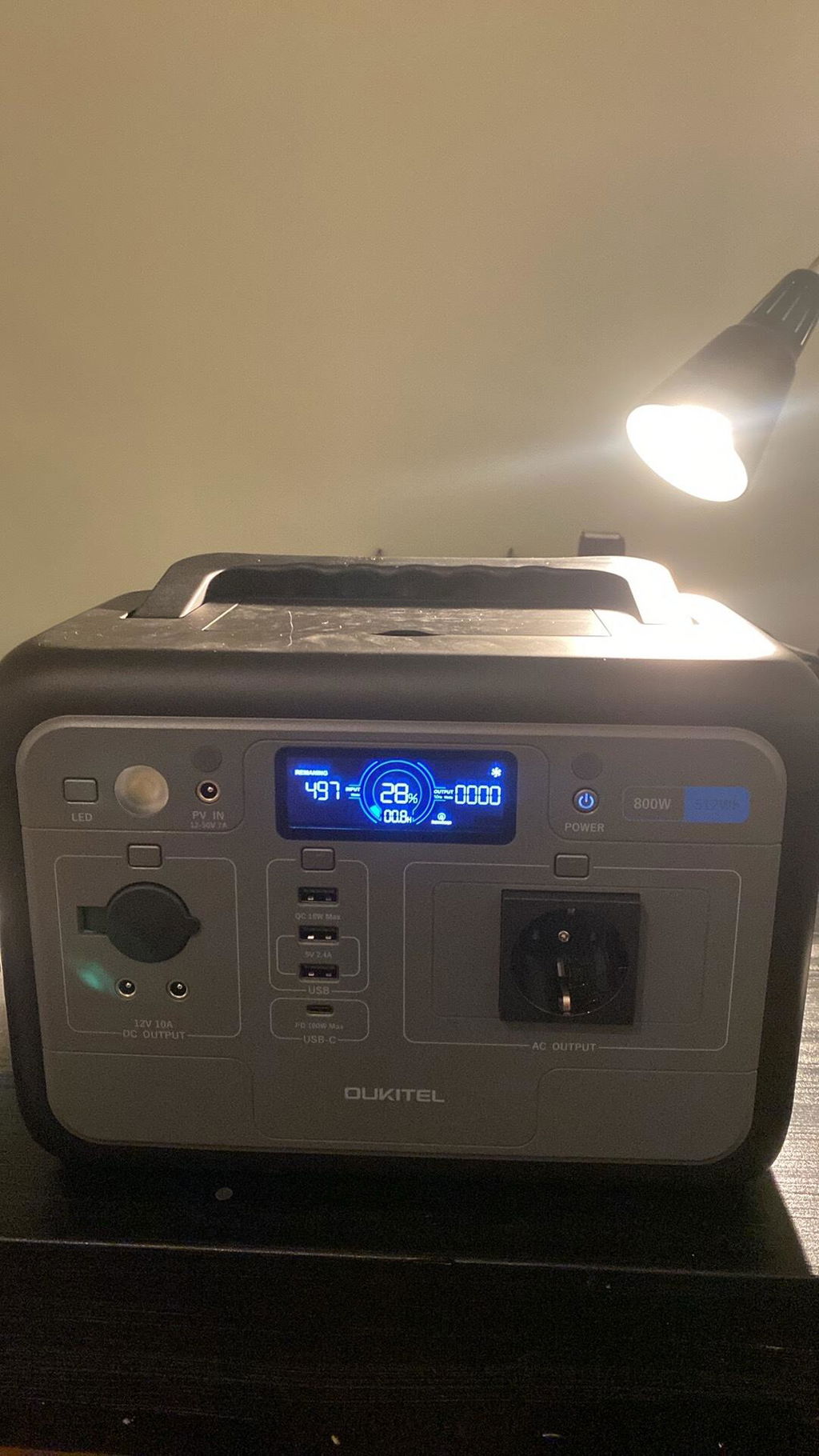
Milliamp-hours are charge measured at the cell's internal voltage, so two packs with the same mAh figure but different cell arrangements are not equivalent. Convert to watt-hours: mAh × V ÷ 1000. A 10,000 mAh bank at a nominal 3.7 V works out to roughly 37 Wh, and after conversion losses you should expect something in the region of 30 Wh at the USB-C port — an estimate, since efficiency moves with load and temperature. A 512 Wh unit such as the OUKITEL P800 carries roughly fourteen times the stated capacity of that bank. The comparison only becomes meaningful once both numbers are in the same unit.
Can I use a higher amperage charger on my device without damaging it?
For USB-C PD, yes — and it is usually the better choice. The device requests what it needs and the charger supplies no more, so a 100 W charger feeding a phone that negotiates 20 W runs cooler than a cheap 20 W charger running flat out. The exception is a bay charger for removable cells, where current is pushed into the cell rather than requested by it. There, exceeding the cell's rated charge current is a genuine risk.
The regulatory layer you may not have noticed
In the EU, the common-charging framework under Directive (EU) 2022/2380 is active. Covered radio equipment that recharges by wire above 5 V, 3 A or 15 W must incorporate USB Power Delivery and allow full PD functionality, and USB-C is the required connector for the covered categories. For buyers this is quietly useful: a compliant charger bought for one device is far more likely to work with the next one, which is exactly the opposite of how proprietary fast-charge bricks behaved.
Charger Types Compared: Wall, Car, USB, and Multi-Bay
| Type | Best for | Strength | Limitation | Skip it if |
|---|---|---|---|---|
| Single-port wall PD adapter | One device, one socket | Simple and cheap to get compliant | No headroom for a second device | You routinely travel with a laptop and a phone |
| Multi-port wall PD adapter | Desk, hotel room, travel bag | One socket serves several devices | The rating is shared across ports, not multiplied | You need full power on two laptops simultaneously |
| Car charger (12 V socket) | Commuting, road trips | Charges while you drive | Socket output and cabin heat; engine-off use drains the vehicle battery | Your real need is overnight charging at a destination |
| USB-C power bank | Phone-scale portability | Pocketable, no mains needed | Limited Wh, no AC socket | You need to run a dock, a fan or a laptop all day |
| Multi-bay cell charger | AA/AAA NiMH, camera packs | Per-cell monitoring and correct termination | Handles removable cells only | All your devices have sealed batteries |
| Portable power station | Multi-day trips, outages, off-grid work | AC outlets plus USB-C PD; large Wh | Weight and higher upfront cost | You only ever charge a phone |
The practical constraint most people miss is the shared wattage budget on multi-port adapters. A three-port unit rated at 65 W typically gives one device the bulk of that and splits the remainder, so plugging in a laptop and a tablet together often means the laptop charges at a lower rate than it would alone. If you need two high-draw devices charged quickly, two adapters beat one clever one.
Four Scenarios, Four Different Constraints
Charger choices only make sense against a constraint. These four cover most household situations.
Scenario 1 — The commuter bag (space constraint)
Phone, earbuds and a handheld console, carried daily, charged in fragments of time. The binding constraint is volume and weight, not capacity. A single-port PD adapter at the top of what the phone accepts, plus a 10,000 mAh PD bank, covers a full day plus an evening without adding noticeable weight. The decision rule: if everything must fit one small pocket, buy one good adapter and one bank, not two mediocre adapters.
Scenario 2 — The camera kit in a hot car (weather constraint)
Spare camera packs and NiMH cells for a flash, charged in the vehicle between shoots. Here heat is the constraint: a closed car in summer easily exceeds the storage ranges published for consumer lithium equipment — the OUKITEL units in this category, for instance, are specified for storage between −10 °C and 40 °C. A charger left on a dashboard is outside that envelope for hours. The decision: charge at the destination, store the charger and cells in the shaded footwell or a cool bag, and never leave a bank or station in direct sun between uses. If you cannot avoid vehicle charging, choose a low-current mode over a fast one.
Scenario 3 — Three days off-grid (duration constraint)
Two people, a console, a laptop and lighting for a long weekend. Duration forces the category change: a 10,000 mAh bank is a phone-scale answer to an appliance-scale question. Rather than trusting published runtime claims, measure once — note the percentage gained per bank charge and convert to watt-hours using the bank's stated Wh. That gives you a real consumption figure for your own habits, and it is the number you should size against. A 512 Wh unit with a 100 W USB-C PD port and a 500 W AC recharge covers this trip comfortably; a 1024 Wh unit covers it with a laptop working all day. Both sit in the power bank versus portable power station decision space, and both are portable enough for a car boot.
Scenario 4 — Working through an outage (continuity constraint)
Router, laptop, phone and a lamp for a working day. The constraint here is not capacity but switchover: equipment that reboots when mains drops costs more in lost work than the extra battery capacity does. Look for a unit with a stated EPS switchover time and enough AC outlets to leave devices plugged in — the P800's sub-10 ms EPS and 800 W AC output are specified for exactly this, and the OUKITEL P1000 Plus doubles the capacity at 12 kg if the outage routinely runs past a day.
Nintendo Switch Charging: What to Look for in a Portable Power Bank
The console question is where most of the confusion in this category lives, so it is worth stating what the manufacturer actually says rather than what a forum says.
Nintendo's current support documentation states that the Switch 2 charges directly from either the Switch 2 AC adapter (NGN-01) or the original Switch AC adapter (HAC-002), and that the older Switch AC adapter cannot be used to power the console in TV mode. It also states that alternative charging solutions should be checked against the power requirements printed on the packaging and in the Important Information booklet, and that the console charges in the dock with the Switch 2 AC adapter or another compatible adapter.
What Nintendo does not publish is a specific USB-C PD voltage/current recommendation or an endorsed power bank capacity. So the reference point has to be your own adapter's printed rating — that is the target a third-party source should be able to match in its PD profile list.
Does it need a specific protocol, or will any USB-C source work?
In handheld mode, a USB-C PD source with a reasonable profile set will charge the console; it may not charge it as fast as the official adapter. In TV mode the requirements change, and the manufacturer's own guidance is the only reliable reference. This is where an AC outlet changes the problem entirely: a power station with a mains socket lets you use the console's own AC adapter, which sidesteps the PD negotiation question rather than guessing at it.
What does 10000mAh actually buy you?
A 10,000 mAh figure describes cell capacity, not delivered energy. Converted to watt-hours it is roughly 37 Wh at nominal voltage, and after conversion losses you should plan on around 30 Wh at the port — an estimate rather than a laboratory result. Whether that is one evening or two depends on screen brightness and what the console is doing. Measure it once with your own unit; the number you get will be more honest than any marketing claim, and it transfers to every future purchase.
Safety Certifications and Quality Checks: How to Spot a Reliable Charger
Certification is the area where marketing language and regulatory reality diverge most, so it helps to separate three different layers, because they answer different questions.
The regulatory layer is market-specific: CE marking and RoHS in the EU, FCC rules for radio and EMC in the United States, UKCA for Great Britain, and the EU common-charger requirements discussed above. These are conformity regimes — they say a product has been declared against applicable requirements, not that a particular test lab blessed it.
The transport layer is UN 38.3. That is a transport test for lithium batteries, relevant to shipping, and its presence on a datasheet tells you the battery package was assessed for transport — not that the charger is safe on your desk. It is frequently presented as if it were a consumer safety mark; it is not.
The product-safety layer is where standards such as IEC 62368-1 and IEC 62133-2 sit. The exact legal requirement depends on the market and the product category, and it is genuinely difficult to state a single universal matrix for chargers and power banks across the US, EU and UK. That uncertainty should make you more careful, not less: check the declaration of conformity rather than the badge on the listing image.
A worked example of a transparent spec sheet: the OUKITEL P2001 Pro lists CE, FCC, PSE, UN38.3, EMC, LVD, RoHS and MSDS in its published specifications, and the P5000 Pro lists FCC, CE, PSE, RoHS, UN38.3 and MSDS. Where a product's published specifications do not list certifications at all, treat that as unknown rather than as evidence of absence — and ask the seller for the document.
A five-minute verification routine
- Match the model number on the device label to the model number in the listing and on the declaration of conformity.
- Look for the mark moulded or printed on the product itself, not only on the box.
- Ask for the declaration of conformity by email. Sellers who have one send it; sellers who do not go quiet.
- Check the declared output voltage against what the device expects — a certificate does not fix a mismatch.
- Reject any high-power charger that arrives warm in the box with no documentation, regardless of price.
Brand vs Performance: Evaluating Chargers Like Geepas and Others
Geepas is a name that turns up often in retail catalogues for battery chargers, and readers reasonably ask whether it is a safe choice. The honest answer is that suitability is decided at model level, not brand level: no official product and certification listing for Geepas chargers was verified for this guide, so nothing here should be read as confirming or denying the specifications of any particular Geepas model. Judge the specific unit on its own paperwork.
The same rule applies in reverse to premium brands. A recognised name buys you warranty handling and local support, both of which have real value. It does not buy you a better voltage match. The trade-off is straightforward: pay for support and predictable quality control, but verify the electrical specification yourself either way.
The spec test that separates brands from marketing
- Does the listing state the fixed PD profiles, or only a single wattage number?
- Does it state the cell chemistry and the charge termination method for bay chargers?
- Is the input voltage range printed (most USB adapters are wide-range, but check)?
- Is there a model number you can search independently of the retailer?
- Is the warranty stated in years, with a named party responsible for it?
Two chargers that pass all five are functionally closer than their prices usually suggest. One that fails two or more is a gamble regardless of the logo.
Matching Chargers to Battery Types: AA/AAA, Camera Batteries, and Built-in Cells
Removable cells and sealed cells belong to different buying decisions, and mixing them up is where most wasted money goes.
AA and AAA NiMH
NiMH needs a charger with an explicit NiMH mode and per-bay termination, ideally with independent channels so one cell finishing does not affect its neighbours. Nominal voltage is 1.2 V per cell, and low-self-discharge types hold charge for months, which is why they suit remote controls and torches. Avoid timer-based chargers inherited from nickel-cadmium days: they stop on a clock rather than on a signal from the cell. Charging guidance varies by cell, so the manufacturer's data sheet — not a general rule — is the reference for charge current.
Camera battery packs
These are multi-cell lithium packs with their own protection. Use the manufacturer's charger, or one that explicitly states compatibility with that pack's voltage and cell count. Charging a multi-cell pack on a single-cell bay is the classic failure: the pack may accept current and warm up without ever balancing properly. Contacts matter too — a dirty bay reads the pack voltage incorrectly, and the charger then terminates early or late.
Devices with built-in cells
Phones, laptops, consoles and power stations contain a battery management system that owns the charging algorithm. You are not choosing a charger for the cell; you are choosing a compliant voltage and current source. This is why the specification question collapses to PD profiles and cable rating for these devices, and why chemistry questions disappear from the buying decision entirely.
For a power station, the equivalent of "charge current" is the AC input rating. The P800 accepts up to 500 W AC for a one-hour full charge, or up to 200 W of solar for a 2.75-hour full charge — meaning a modest solar panel is a realistic everyday option rather than a token gesture. If you plan to rely on solar, the portable solar charger buying guide covers panel matching in more depth.
When the Gear Hits Its Limits: Heat, Cold, Altitude and Continuous Draw
Every charger and power source has an envelope, and most failures happen at its edges rather than in the middle.
Heat is the primary limit. Charging generates heat inside the cells as well as in the conversion electronics, and a hot environment removes the temperature gradient that cooling depends on. Recognise the symptom set: the charge rate drops partway through, the case becomes uncomfortable to hold for more than a few seconds, a fan runs continuously, or the device refuses to accept charge at all. Those are protective behaviours, not faults — the correct response is to move the kit somewhere cooler, not to buy a bigger charger.
Cold blocks charging outright on many lithium devices. The published operating range for the OUKITEL power stations here is 0 °C to 40 °C, with storage from −10 °C to 40 °C. A night at −5 °C in a car boot is within the storage range but outside the charging range, so a unit that appears dead at dawn may simply be waiting to warm up. Never force the issue by charging immediately from a cold soak.
Altitude reduces cooling. Fan-cooled equipment moves less heat through thin air, so a unit that runs quietly at sea level may run its fans harder and derate sooner at elevation. If you work at altitude regularly, plan for slower charging and keep vents unobstructed.
Continuous draw is different from peak draw. A 100 W USB-C port running a laptop all day is a sustained thermal load, whereas a 100 W burst for twenty minutes is not. Units with a stated continuous AC rating handle this better than units quoting only a surge figure — the 800 W continuous and 1600 W surge ratings on the P800, for example, describe two different jobs. Match the continuous figure to your load and treat surge as startup headroom only.
The Dos and Don'ts of Charger Buying
| Situation | Right way | Common wrong way | Why it matters |
|---|---|---|---|
| Matching a USB-C charger to a laptop | Check the device's top voltage and pick a charger whose profile list includes it | Buying on the wattage number alone | A high-wattage charger without the right fixed profile falls back to a slower link |
| Cable for a high-power link | Use an electronically marked 5 A cable above 60 W | Reusing a thin charging cable from a phone box | The cable caps the link regardless of charger rating |
| Charging AA NiMH cells | Use a charger with an explicit NiMH mode and per-bay termination | Using an old timer charger or a NiCd-only unit | Timer chargers overcharge partly used cells and cook them |
| Charging a console for TV use | Use the console's own AC adapter via an AC outlet | Assuming any USB-C power bank will drive the dock | Dock and TV mode have stricter requirements than handheld charging |
| Buying a "fast" charger | Confirm the protocol and the profiles it declares | Trusting a "fast charge" badge | Proprietary schemes may not apply to your device at all |
| Travel with several devices | One multi-port PD adapter, sized to the largest device | Three single-port adapters and a power strip | Shared wattage is fine for phones but punishes two laptops |
| Storing kit between trips | Keep in a cool, dry place, part-charged | Leaving it on a sunny shelf or in the car | Heat plus a full charge is the worst combination for ageing |
Gear Checklist: What You Need Beyond the Main Unit
The charger is rarely the thing that lets you down. The accessories around it are.
- One marked 5 A USB-C cable for high-power links, kept separate from general cables so it does not migrate into a drawer.
- A short cable for the bag and a longer one for the bedside — a long thin cable run at high current wastes energy as heat.
- An inline USB-C power meter. This is the cheapest diagnostic purchase in the category: it tells you the actual voltage and current negotiated, which settles most compatibility arguments in seconds.
- A travel plug adapter, not a voltage converter. Most USB adapters are wide-range input; the adapter only changes the pin shape.
- A ventilated case. If you charge inside a pouch, choose one that is open or mesh-sided.
- A 12 V car lead sized to your power station's input. The P800 accepts 12–50 V at up to 7 A, so a suitable lead makes vehicle charging practical on long drives.
- For off-grid use, a panel rated within the unit's solar input limit — 200 W maximum for the P800, 500 W for the P1000 Plus.
- A spare fuse or a second car socket adapter if you rely on vehicle charging; sockets are notoriously variable in condition.
Travel-Ready Chargers: Balancing Portability and Power
Portability trades directly against thermal headroom. A compact high-wattage adapter has less surface area to dissipate heat, so it runs hotter at full output and derates sooner in a warm room. That is a real limitation, not a design flaw — but it means a travel charger at its maximum in a hot hotel room behaves like a smaller charger.
Two practical rules follow. First, size the travel adapter to your largest device rather than to the sum of all devices; the shared budget will handle the rest at reduced speed. Second, if you intend to run a power station as well, put the station in the hold luggage or the car boot and keep the small adapter in the cabin bag — a 6 kg, 512 Wh unit is genuinely one-hand portable, while a 25 kg unit is a vehicle item.
Cabin rules for lithium batteries vary by airline and by authority, and they change. Check your carrier's published limit before flying rather than relying on a figure you read last year; carry spare batteries in the cabin as most carriers require, and never in checked baggage.
Maintenance Habits That Actually Extend Battery Life
Most battery advice is generic. These habits are specific enough to act on this week.
- Store between roughly 40% and 60% for long idle periods. Lithium cells age fastest at high state of charge combined with heat. A power station kept for seasonal camping should sit part-charged, not full.
- Recharge stored equipment every three months. Self-discharge plus a protection circuit's idle draw can take a pack below its low-voltage cutoff, after which it may refuse to accept charge.
- Keep an EPS unit plugged in if it is doing EPS duty. The mid-charge storage rule applies to idle kit, not to a unit whose job is to take over when mains fails.
- Clean bay contacts with isopropyl alcohol on a dry cloth. Oxide and finger grease cause false voltage readings and early termination. Do not use abrasives.
- Refresh NiMH cells occasionally. A discharge-then-charge cycle on a smart charger restores capacity lost to shallow use.
- Inspect cable strain reliefs every few months. Fraying at the connector is the usual precursor to a dead port.
- Watch for swelling — and stop using the pack immediately. A cell that has visibly changed shape, or a case that no longer sits flat, is a disposal item, not a repair job.
- Charge in daylight, not overnight. Not for the battery's sake, but so you are present if a charger misbehaves.
Common Mistakes to Avoid When Buying a Battery Charger
Presented as a checklist, because that is how these decisions actually go wrong.
- Mistake: comparing mAh between packs without converting to Wh. The comparison is meaningless at different internal voltages.
- Mistake: buying a charger for a device you are about to replace. Buy for the next two years of devices, not the last two.
- Mistake: assuming a higher price guarantees a better match. It buys support and consistency, not extra voltage profiles.
- Mistake: ignoring the cable. A good charger behind a bad cable is a slow charger.
- Mistake: charging everything from one multi-port adapter at full speed. The shared budget will not allow it.
- Mistake: treating certification logos in a listing image as verified. Ask for the declaration of conformity.
- Mistake: sizing a power bank for a dock or an appliance. Above laptop scale, the correct category is a power station.
What the successful version looks like, as a hypothetical: suppose a two-person household replaces three single-port adapters and a bulky high-capacity bank with one multi-port PD adapter sized to the laptop, one 10,000 mAh PD bank and two labelled cables. The bag gets lighter, the laptop still negotiates its top voltage, the console charges overnight from the same adapter, and the bank covers the day out. The outcome is fewer devices with no loss of performance — because the purchase was made against device requirements rather than against a wattage number.
And the failure version, equally hypothetical: suppose a buyer chooses a marketplace charger advertised at 100 W, whose highest fixed profile is 15 V, for a laptop that wants 20 V. The link settles at 15 V, the laptop charges slowly, the buyer concludes the laptop is faulty, then buys a second charger. The outcome is money spent twice and nothing wrong with either device — a specification mismatch that five minutes of label-reading would have caught.
The Decision Matrix: Which Charger Fits Your Situation
| If your situation is… | Choose | Because |
|---|---|---|
| Phone and earbuds, one small bag | One single-port PD adapter plus a 10,000 mAh PD bank | Space is the constraint; capacity beyond a day is dead weight |
| Laptop plus phone, regular travel | Multi-port PD adapter whose profile list includes the laptop's top voltage, plus a marked 5 A cable | One socket, and the cable is what unlocks the full rate |
| Console in handheld mode | A PD bank sized by measured Wh per charge | Handheld draw is modest; measuring beats guessing |
| Console in TV mode | A power source with an AC outlet, using the console's own adapter | It removes the PD-profile guesswork from the equation |
| Camera kit with removable packs and NiMH cells | A multi-bay smart charger with per-bay termination and USB-C input | Chemistry and termination matter more than wattage here |
| Multi-day trips or off-grid work | A portable power station with USB-C PD and AC output — 512 Wh at 6 kg, or 1024 Wh if a laptop works all day | Duration forces the category change, and weight decides which size |
| Working through outages at home | A station with a stated EPS switchover and enough AC outlets to stay plugged in | Continuity, not capacity, is the actual requirement |
The single rule that survives every scenario: buy against the device's stated requirements, in the unit the device uses. Voltage and chemistry first, current second, protocol third, brand last — and if you are choosing between a large power bank and a small power station for the same money, take the one whose output category matches your load rather than the one with the bigger capacity figure.
Frequently Asked Questions
Can I use a higher amperage charger on my device without damaging it?
For USB-C Power Delivery devices, yes: the device negotiates what it needs, so a higher-rated charger simply runs cooler at part load. The exception is a bay charger for removable cells, where current is pushed into the cell and exceeding its rated charge current causes real damage. Remember that the cable caps the link too — a 3 A cable limits you to 60 W at 20 V whatever the charger can supply.
What does mAh mean for a portable power bank, and how does it affect Nintendo Switch charging?
mAh is charge measured at the cell's internal voltage, so it only becomes comparable once converted to watt-hours (mAh × V ÷ 1000). A 10,000 mAh bank at a nominal 3.7 V is roughly 37 Wh, with something around 30 Wh realistically available at the port after conversion losses — an estimate, not a guarantee. Rather than extrapolating from that, measure your own console: note the percentage gained per bank charge once and use it to size future purchases.
Is a Geepas battery charger suitable for all battery types, or should I choose a different brand?
No brand's range is universally suitable, because suitability is decided by the individual model rather than the name on the box. Check the specific model's declared chemistry modes, whether each bay terminates independently, and whether the seller can supply the declaration of conformity. No official Geepas product or certification listing was verified for this guide, so evaluate the unit's own documentation rather than the brand's general reputation.
Can I charge my Nintendo Switch with any USB-C power bank, or does it need a specific protocol?
Handheld charging generally works from a USB-C PD source, though possibly slower than with the official adapter. For TV mode, follow Nintendo's own guidance: the console charges in the dock with the Switch 2 AC adapter or another compatible adapter, and the original Switch AC adapter cannot power the console in TV mode. A power source with an AC outlet lets you use the console's own adapter and avoids the protocol question altogether.
Do rechargeable AA batteries require a special charger, or can I use a universal one?
They need a charger with an explicit NiMH mode and cell-level termination; a universal charger that lists NiMH and monitors each bay independently is fine. Avoid timer-based chargers designed around older nickel-cadmium cells, which stop on a clock rather than on a signal from the cell. Charge current guidance is cell-specific, so check the cell manufacturer's data sheet rather than applying a general rule.
This article was written using up-to-date sources as of November 2026. Details may change over time — verify current specifics before relying on them.
Latest articles
Battery Charger Buying Guide: How to Match Chargers to Your Batteries and Devices

Solar Charger Buying Guide: How to Match Panel Wattage to Your Portable Power Station
Charging Bank vs Power Bank: How to Tell If You're Getting AC Power or Just USB
Power Bank vs Portable Power Station: How to Choose by Device Load and Real Runtime

What Is a Portable Power Station? A Home Backup Guide to Wattage, Capacity and Battery Chemistry